Month: June 2026

Assignment #2: Pod F Peer Review

By Sneh, Dilraj, Trevor

Overview

Pod H’s Interactive Learning Resource on empirical and theoretical probability has a clear and well-structured foundation. The Course Overview page is informative and engaging. The topic is well established, the justification for the course is good, and the real-life misunderstandings add relevance. As this is a draft, there are a few pages that still need to be completed, but for this review, it will be concerned with the structure, design decisions, and what has already been accomplished.

Strengths

The Course Overview is really good. The misconceptions are around the following reasons so that learners care: the gambler’s fallacy, sample size errors, and misinterpretation of the weather forecast. It makes sense to start with “here’s what people get wrong” before you even begin to teach the concept, because it generates curiosity and sets you on the path of building content. It speaks to the intuitive thinking that is likely to be the starting point for the target audience and establishes a good groundwork for the remainder of the resource. The resource truly comes to life on the practice page. The three different interactive activities (Coin Toss, Dice Roll, and Spinner) provide learners with several opportunities to explore the same topic as per the UDL principle of multiple means of engagement. The Spinner activity itself is a clever one, as having the theory and the experiment side by side is the kind of visual representation that makes the difference between empirical and theoretical probability sink in with the students.

Areas of Improvement

The Spinner activity has an accessibility issue worth noticing. The question asks “What is the probability the spinner will stop on purple?” but color is the only way to distinguish between the sections of the wheel. For learners with color blindness, this could make the activity hard. A simple fix would be adding patterns such as stripes, dots, or cross-hatching alongside the colors so each section is more noticeable and differentiated in more than one way. This is a small change that would make a meaningful difference for inclusivity.

Several pages still show placeholder text; “Activity description” appears under each activity on the Practice page, and the Assessments page has no content yet. The activity descriptions are important because, without them, learners don’t know what they’re supposed to do or what they’re supposed to learn from each activity. Adding even two or three sentences explaining the purpose and instructions for each one would significantly strengthen the resource before final submission.

On the assessment side, the blueprint lists multiple options: a quiz, a reflection, and a media analysis task, without being clear whether learners complete one or all of them. Clarifying this on the Assessments page and explicitly linking each assessment to a specific learning outcome would tighten the alignment and make expectations clearer for learners.

One small citation note: Khan Academy and OpenStax appear in the Resources section but not in a formal APA reference list. Adding them there would keep the citations consistent throughout the resource.

Final Thoughts

The initial thoughts of this resource are solid. The topic is really cool, the interactive activities on the practice page show real creative effort, and the misconceptions framing is genuinely effective. A few targeted fixes, such as the activity descriptions, accessibility adjustments, and a completed assessments page, and this will be in great shape for the final submission.
Blog #4

Moving from Passive Viewing to Active Interaction

Inherent vs. learner-generated interaction

By default, this video requires very little inherent interaction. It does not force the student to pause, make choices, or respond to embedded prompts; the content simply plays. Any interaction is strictly learner-generated, meaning the student must take the initiative to process the information, take notes, or mentally relate the concepts to their own password habits. Without careful instructional design, learners might treat the video as entertainment rather than an educational catalyst. 

Post-video activity: The “Crack the hash” Challenge

To bridge this gap, we designed a hands-on follow-up activity. After watching the video, learners will use a web-based tool called Crackstation. They will be given a list of pre-hashed passwords—ranging from weak to strong—and will attempt to crack them, recording how much time each takes. This activity develops the specific skill of evaluating password strength, shifting the learning from abstract theory into a visceral, concrete experiment.

Feedback, Workload, and Scalability 

To consolidate this interaction, learners will submit a brief written reflection (100-150 words) via Google Forms explaining why some hashes were easier to crack than others. To manage the instructor workload and ensure this is scalable for our asynchronous, Canada-wide audience, feedback will be provided through an automated response upon submission. This response will include a model answer and a self-assessment checklist, allowing learners to check their understanding without creating an unsustainable grading burden. 

Inclusive Design and Overcoming Barriers

Relying on video introduces potential barriers for learners with hearing impairments, cognitive processing challenges, or low-bandwidth connections. To ensure inclusive design, I will verify that the video has high-quality closed captions. Additionally, I will provide a downloadable text transcript and a brief, bulleted summary of the video’s core concepts directly on the WordPress page. This ensures the essential knowledge remains accessible to everyone, regardless of how they interact with the media. 

References

Comments

Post #3: Prompt #2

Resilient Learning: Navigating Unexpected Shifts through Universal Design

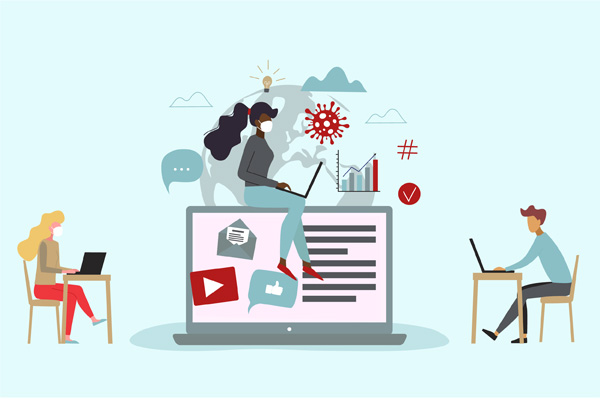
When unexpected events, like a sudden crisis, for example, a pandemic, forces students to shift entirely to home environments, learning design is put to the test. Fortunately, our learning blueprint on password storage was already designed for asynchronous delivery on WordPress. However, a sudden crisis introduces unpredictable barriers: erratic internet access, shared devices, heightened anxiety, and varying levels of independent digital literacy. Ensuring student success under these conditions requires intentionally applying inclusive practices to our specific context. 

To keep learning successful without live intervention, the key is maximizing flexibility and minimizing technical friction. For example, if students face low bandwidth or data caps at home, relying solely on video delivery like our planned Computerphile resource can inherently exclude them. I would adjust our activities by ensuring every multimedia element has a lightweight, text-based alternative or a downloadable transcript. Making accessible content in this way is not just an optional add-on; it is a fundamental requirement to ensure everyone can interact with the material without disadvantage. 

Furthermore, because our inquiry-based tools like CrackStation and MD5HashGenerator must now be navigated completely independently without a teacher in the room, students need immediate technical scaffolding to avoid frustration. Rather than assuming students can intuitively navigate these external interfaces during a stressful disruption, they will need targeted tool training. I would deliver this training asynchronously by embedding quick, step-by-step diagnostic checklists and low-resolution visual guides directly into the WordPress lessons. 

Ultimately, proactive design ensures that when an unexpected disruption occurs, the learning environment bends rather than breaks. By explicitly incorporating Universal Design for Learning (UDL) principles, we can anticipate variability in learner needs rather than retrofitting accommodations after a crisis hits. Practicing inclusive learning design means recognizing that sudden shifts to home-based learning amplify existing inequalities, making it our responsibility to remove unnecessary cognitive and technological barriers. Through the intentional creation of accessible, universally designed content, we ensure that all learners retain the opportunity to succeed, regardless of their physical learning

References

Comments

Post #2

Teaching Password Security: Balancing Direct Instruction and Inquiry

When designing our learning module on password storage, specifically hashing and salting, my group realized that relying on a single pedagogical approach wouldn’t suffice. To effectively teach a non-technical audience about digital security, I am combining direct instruction with inquiry-based learning. 

Laying the Foundation with Direct Instruction

Direct instruction is a highly structured, teacher-directed approach focused on the clear delivery of foundational knowledge. For our topic, this approach perfectly aligns with introducing the core concepts. Before learners can explore vulnerabilities, they need a concrete understanding of what a “hash” actually is. However, in technology-mediated environments, this approach isn’t neutral. Our design choice to use structured WordPress pages and embed specific multimedia, like a Computerphile video (https://www.youtube.com/watch?v=7U-RbOKanYs), directly shapes how this theory is put into practice. We aren’t just lecturing; we are carefully curating digital artifacts to provide an accessible, unambiguous baseline for our learners. 

Building Mastery through Inquiry-Based Learning

Once the foundation is set, we pivot to inquiry-based learning, which centers on investigation, hands-on exploration, and problem-solving. For a topic like cybersecurity, reading about a password attack is abstract, but cracking a weak hash yourself is visceral. Our “Crack the Hash Challenge” allows learners to use tools like CrackStation (https://crackstation.net/) to test pre-hashed passwords. Prioritizing hands-on learning and actively self-testing are the most effective ways to truly gain confidence and mastery over complex material. The tools we choose here deeply influence the learning environment. By positioning the learner as an active investigator rather than a passive recipient, the technology transforms an abstract concept into an immediate, practical reality.

Finding the Balance

These two approaches complement each other entirely. Direct instruction builds the necessary scaffolding, while inquiry-based learning allows learners to test those concepts in the wild.

© 2026 Trevor's Blog

Theme by Anders NorenUp ↑